The photocopier has jammed again. Of course it has. There are invoices to print, documents waiting for signatures and someone who needs twenty copies before a meeting starts. Regular photocopier servicing can help avoid some of these last-minute headaches by catching worn parts and recurring faults before the machine gives up halfway through a job. Breakdowns still happen. The aim is to make them less frequent and easier to deal with.
Why Regular Photocopier Servicing Matters
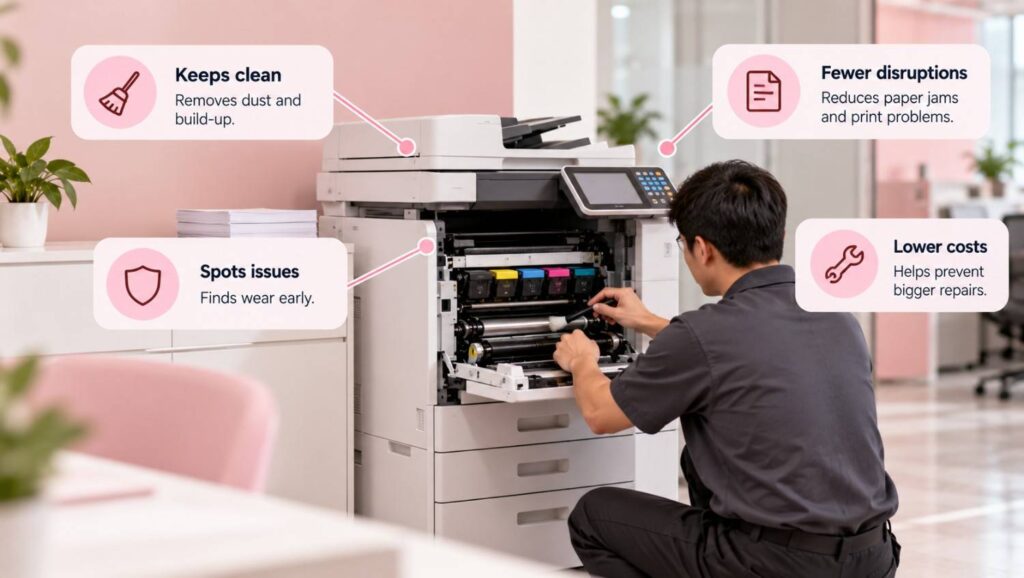
Nobody pays much attention to a photocopier when it works. It sits in the corner, quietly doing its job. Then the copies come out streaky, paper gets stuck for the third time that morning, and suddenly the whole office is waiting.
That is where photocopier maintenance services can help. A technician can inspect the machine, clean internal components and spot signs of wear that staff might miss. Small faults are often easier to address before they turn into expensive repairs.
Common Photocopier Problems
Paper jams are usually the first complaint. The paper might be damp, the tray overloaded, or a roller worn down after months of use. Sometimes, a torn scrap is lodged somewhere inside. Pulling at it in a hurry can cause more damage.
Print quality tells a story, too. Faded text may mean the toner is running low. Dark lines that appear on every copy could point to dirty scanner glass or a problem with an imaging component. And when the same error message keeps coming back? The machine probably needs more than another restart.
The Effect on Everyday Office Work
One faulty photocopier can hold up several people. Accounts cannot finish their paperwork. HR is waiting for signed documents. The meeting starts in ten minutes.
Regular inspections help technicians assess the machine’s condition and identify parts that may need attention. They also give businesses a clearer picture of when maintenance is due, rather than leaving everything until the equipment stops working.
Routine Maintenance and Repairs
Some problems are easy to prevent. Others need proper technical attention. Knowing what staff can safely handle makes a difference.
Simple Checks Staff Can Make
Start with the basics. Keep the machine clean, use suitable paper and follow the manufacturer’s instructions. None of this is complicated, but skipping it can create unnecessary problems.
- Store paper somewhere dry. Damp sheets can feed badly.
- Load the tray correctly and avoid forcing in too many sheets.
- Clean accessible scanner glass with a suitable lint-free cloth.
- Check toner before printing a large batch of documents.
- Keep ventilation openings free of dust and obstructions.
- Note recurring error messages instead of dismissing them every time.
These checks help between service visits; they do not replace professional photocopier servicing. Internal electrical components and complicated repairs should be left to qualified technicians.
Knowing When to Call for Repairs
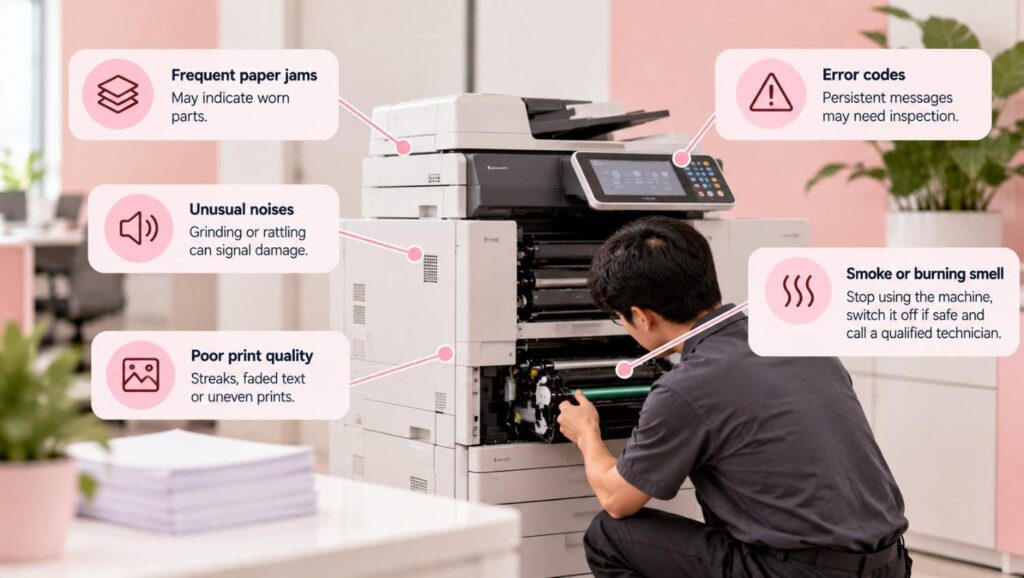
A paper jam once in a while is one thing. Daily jams are another. Grinding noises, persistent error codes and sudden changes in print quality can signal worn or damaged components.
Professional photocopier maintenance services may involve internal cleaning, mechanical inspections and replacing faulty parts. What needs doing depends on the machine and the problem. There is no point paying for a repair that does not address the actual fault.
Smoke or a burning smell calls for immediate action. Stop using the machine, switch it off if safe and arrange qualified assistance.
Choosing the Right Servicing Schedule
A small office that prints a few dozen pages a day will not put the same strain on a photocopier as a busy workplace producing thousands. Usage matters. So do the machine’s age and working conditions.
How Often Should a Photocopier Be Serviced?
Follow the manufacturer’s recommendations first. Then consider how heavily the machine is used and whether it has a history of recurring faults. An older photocopier may need closer attention, even when the print volume is not especially high.
Office situation | Maintenance approach | Warning signs |
Occasional use | Basic cleaning and routine checks | Faded copies, paper-feed issues |
Daily office printing | Planned inspections | Roller wear, recurring jams |
Heavy workloads | More frequent checks where needed | Repeated faults, lost working time |
Older equipment | Schedule based on condition | Frequent repairs, inconsistent output |
This table is a starting point, not a service timetable for every machine. A technician can recommend suitable intervals after checking the model, workload and service history.
Repairing, Replacing or Renting?
Sometimes a replacement roller or another small repair gets the machine running properly again. Fine. But when the same photocopier keeps breaking down, and every visit brings another bill, it is worth looking at the bigger picture.
Businesses considering photocopier rental in Singapore should check what the agreement actually covers. Maintenance? Replacement parts? Toner? How quickly will a technician respond? These details can matter more than the monthly price.
Photocopy machine rental may suit businesses that would rather avoid a large upfront purchase. Before selecting a commercial copy machine, though, consider monthly print volume, colour requirements, scanning needs and available office space. There is little sense in paying for features nobody uses.
Managing Costs and Long-Term Reliability

The price of the machine is only the beginning. Toner costs money. So do repairs, replacement parts and the working hours lost when equipment fails. Those smaller expenses can pile up.
Understanding Rental Costs and Service Agreements
The photocopier rental cost depends on the model, contract length, monthly print allowance and services included. Some agreements cover selected repairs and consumables; others charge extra. Never assume.
Ask what happens when the machine breaks down. Are replacement parts covered? Is there a charge for printing beyond the monthly allowance? What if the business needs to end the contract early? Read the conditions before signing, not when a problem appears.
When comparing photocopier rental in Singapore options, make sure the machine can handle the office’s actual workload. The same goes for photocopy machine rental agreements. A low monthly payment may look attractive until additional charges start appearing.
A fair photocopier rental cost comparison should include servicing, consumables and likely excess usage across the entire contract. Otherwise, the figures can be misleading.
Good equipment still needs attention. Regular photocopier servicing helps identify developing faults, while planned photocopier maintenance services can keep everyday printing more dependable. Align Plus Group is one option to consider when exploring photocopier solutions and servicing support; the right choice comes down to the machine, the agreement and what the office can reasonably spend.