Commercial Copier Leasing Trends to Watch Through 2027
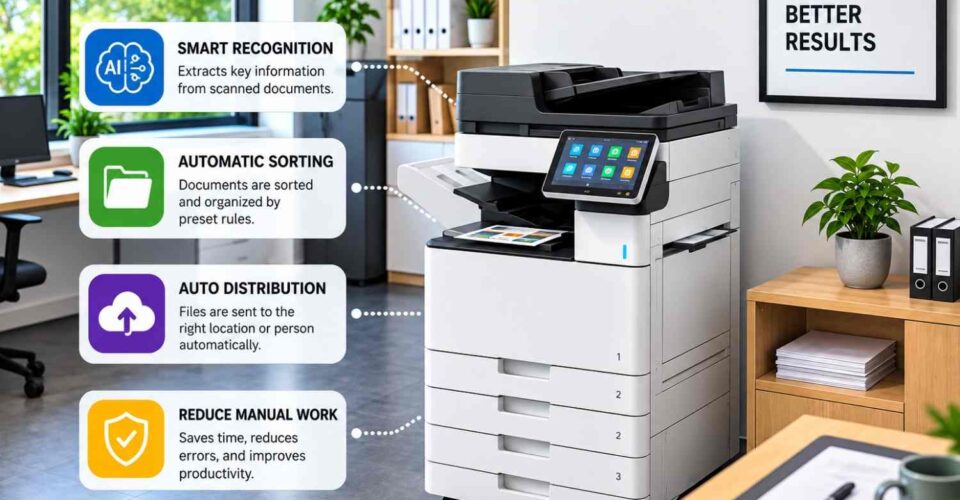
Office printing is not just about making copies anymore. Businesses scan documents, print from different devices and share files through digital systems. So, when looking at commercial copier leasing, it helps to think about how the machine will actually be used in your office. Some of the copier leasing trends worth watching include AI-powered copiers, cloud printing, smarter scanning features and remote monitoring. You do not need every feature available. The main thing is finding out what will actually make daily work easier. AI-Powered Copiers AI-powered copiers can help with some of the work that happens after a document is scanned. Depending on the machine and software, they may recognise certain information, sort documents or send files to the right location automatically. For example, instead of someone manually sorting every scanned document, the system may follow rules already set up for the office. Still, check what the copier can actually do before choosing it. Some AI functions may come through separate software rather than the machine itself. Cloud Printing With cloud printing, authorised users can print through connected systems from different devices or locations. This can be handy if employees work from home, move between offices or use more than one device during the day. Before choosing a copier, check whether it works with the software your business already uses. Also look at how staff access the printer and how print jobs are protected. There is little use in adding a new system if it makes printing more complicated for everyone. Smart Office Copiers and Document Workflows Smart office copiers can also help with everyday document tasks. Depending on the setup, users may be able to scan files straight to email, shared folders or connected storage systems. Take a look at what your staff currently do with scanned documents. If they scan a file, save it on a computer and then upload it somewhere else, a direct scanning option could cut out a few steps. Check the available destinations before agreeing to a lease. Useful features to check include: Scan-to-email Scan-to-folder Cloud storage connection Mobile printing User login controls Secure print release Remote Monitoring and Maintenance Remote monitoring is becoming more common in copier leasing trends. A connected copier can report things like errors, toner levels and other machine issues to the service provider. This can make maintenance easier to manage, but every service arrangement is different. Check what is actually included. Ask whether repairs, maintenance, toner and replacement parts are covered under your commercial copier leasing agreement. Flexible Leasing Arrangements Printing needs can change over time. You may take on more staff, move to a new office or simply print less as more documents are handled digitally. That is why the lease itself matters just as much as the machine. Check the contract length, monthly charges and any print limits. It is also worth asking what happens if your office needs a different copier later. Print Waste and Sustainability Printing less can save paper, but you first need to know how much your office is actually printing. This is one reason print tracking is becoming part of wider office technology trends. Some smart office copiers can track usage and give businesses a clearer picture of printing habits. Features such as double-sided printing and secure print release may also help reduce pages that are printed and then left behind. Security Copiers can store, receive and process business documents. If the machine is connected to your office network, security needs to be part of the conversation. When considering commercial copier leasing, ask about user authentication, secure print release, access controls and software updates. The setup should match the type of documents your business handles. What to Check Before Leasing Do not get caught up in a long list of features. Start with what your office actually needs. Consider: How much you print each month Whether you need colour printing How many people will use the copier How often you scan documents Whether you need cloud printing What security features you need What maintenance and toner arrangements are included How long the lease will run Here is a quick comparison: Trend What to Check Why It Matters AI-powered copiers Available document processing functions Check whether the features match your workflow Cloud printing Compatibility with your systems Supports printing from connected devices Smart office copiers Scan and workflow functions Can reduce manual document handling Remote monitoring Included maintenance services Clarifies how issues and supplies are managed Flexible leasing Contract and equipment change terms Office needs may change Print management Usage tracking and controls Helps identify unnecessary printing Security User access and secure printing Helps protect business documents Think About What Might Change Your office may not have the same printing needs a year or two from now. You might have more staff. Or you may print less because more work is being done digitally. Your team may also need different functions as the way you work changes. Before signing a commercial copier leasing agreement, ask what happens if that changes. Can you switch to another machine? Will there be additional fees? Better to learn these things in advance rather than during the middle of the rental agreement. Choosing Commercial Copier Leasing for Your Office The main copier leasing trends through 2027 include more connected office equipment. AI-enabled copiers, cloud printing and smarter office copiers can be useful if they actually fit the way your office works. At Align Plus, we assist businesses in choosing their printing and documentation requirements when reviewing commercial copier leasing. We can review print volume, daily workflows and the features your office may need. Before choosing a copier, look at the machine, the service arrangements and the lease terms together. A copier should fit into your current workflow without making simple tasks harder.